
Actual-size workspace
Every shape is a real cut line in real units. The workspace is the size of the finished panel, and Actual Size view shows it at true scale.
Desktop software for leaded, foiled, and fused glass
Draw at the real size of the finished panel, choose real manufacturer glass, and let GlassWerx Design keep track of the measurements, piece numbers, glass lists, and patterns. Every line is still yours.
Pre-beta In active development. Detailed demos are available to vendors and manufacturers on request.

From sketch to finished panel
Each step leads the next, so the patterns you cut from are the design you imagined.
Start at the actual size of the finished piece, including non-rectangular shapes.
Bring in your sketch or photograph to draw over.
Your style and your art. Nothing is traced or generated for you.
Define the glass pieces and the construction layers they belong to.
Pick actual products from manufacturer catalogs, or add from your own inventory.
Add came, foil, paint, and other processes.
Print patterns and cut information, or export files to other tools.
Cut, lead, and solder from patterns that match your drawing.
Built for artists
Every shape is a real cut line in real units. The workspace is the size of the finished panel, and Actual Size view shows it at true scale.
Search manufacturer glass by color, texture, feature, or part number, then assign it piece by piece.
Designed for lead came, copper foil, and fused glass, with paint, silver stain, multiple layers, and overlay.
Scale-verified patterns, glass lists, large-format PDF, and SVG and DXF files for cutters and other software.
Work with real glass
GlassWerx Design works from actual manufacturer product information. Search by name, color, texture, feature, or part number, or sample colors from your image and find streaky glass that carries them.
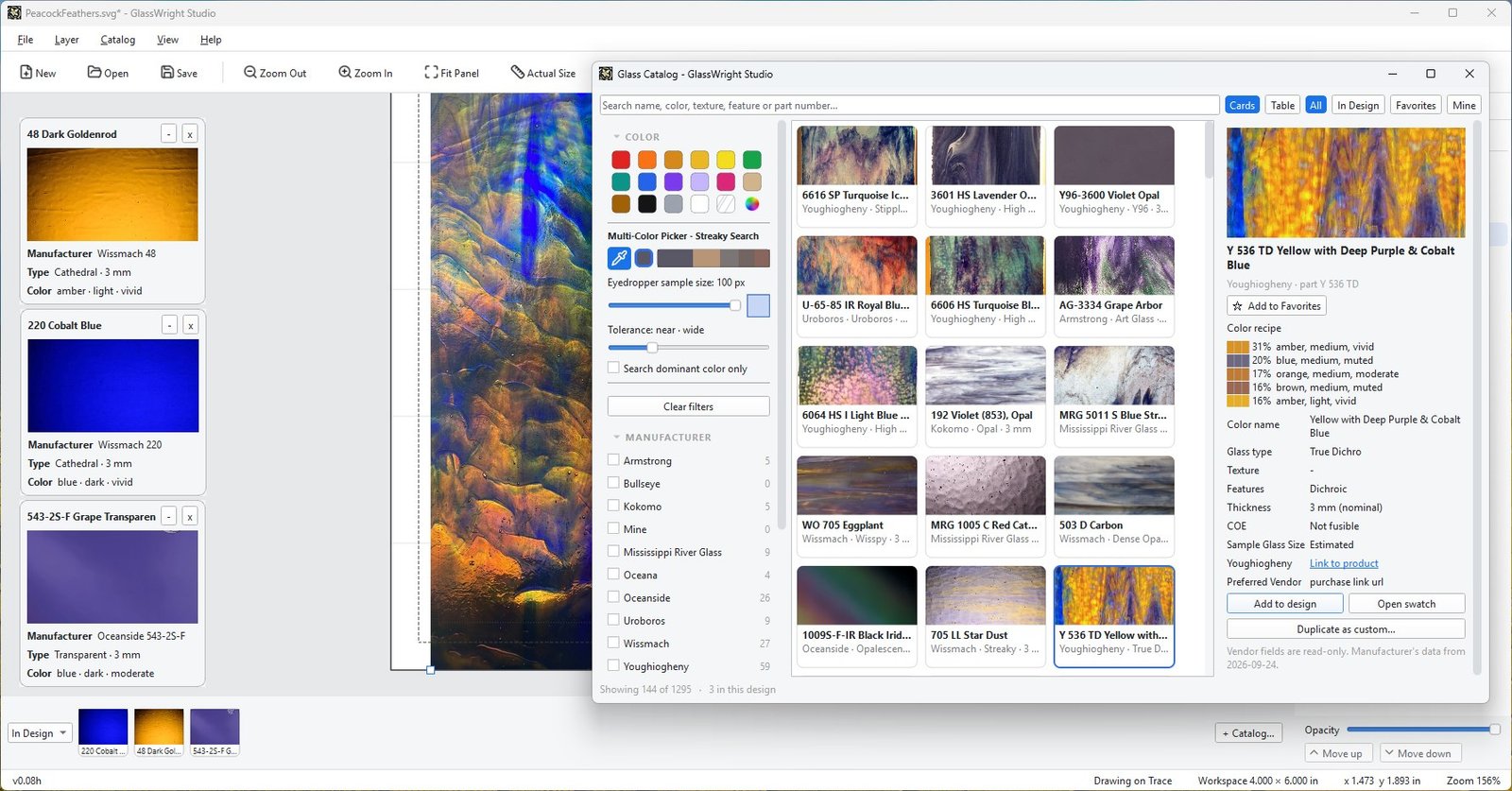

The artist designs the glass.
GlassWerx Design is not an AI design tool, and it makes no design decisions for you. It automates the measuring, numbering, and listing, and leaves the artwork in your hands.
For art glass vendors and manufacturers
We're looking for manufacturers and vendors as data partners, so artists can design with your actual product lines. It's a partnership meant to enable the artist while promoting your products.